Floro Uploader

Publish videos from a desktop app with local file picking, platform account connections, upload progress, and Floro creator workflow support.

1. Download

Use the Windows, Mac Apple Silicon DMG, or Ubuntu / Linux download for the easiest setup. They include Java.

2. Unzip

Extract the zip or open the Mac DMG and place the app anywhere you keep desktop apps or utilities.

3. Run

On Windows, run Floro Publisher.exe. On Mac, open Floro Publisher.app. On Linux, run the launcher in the extracted folder.

Beta product tour

One workflow from account setup to published links

Floro Publisher is built for creators who want to prepare a video once, send it to every supported channel, and keep the upload state visible without juggling browser tabs or platform dashboards.

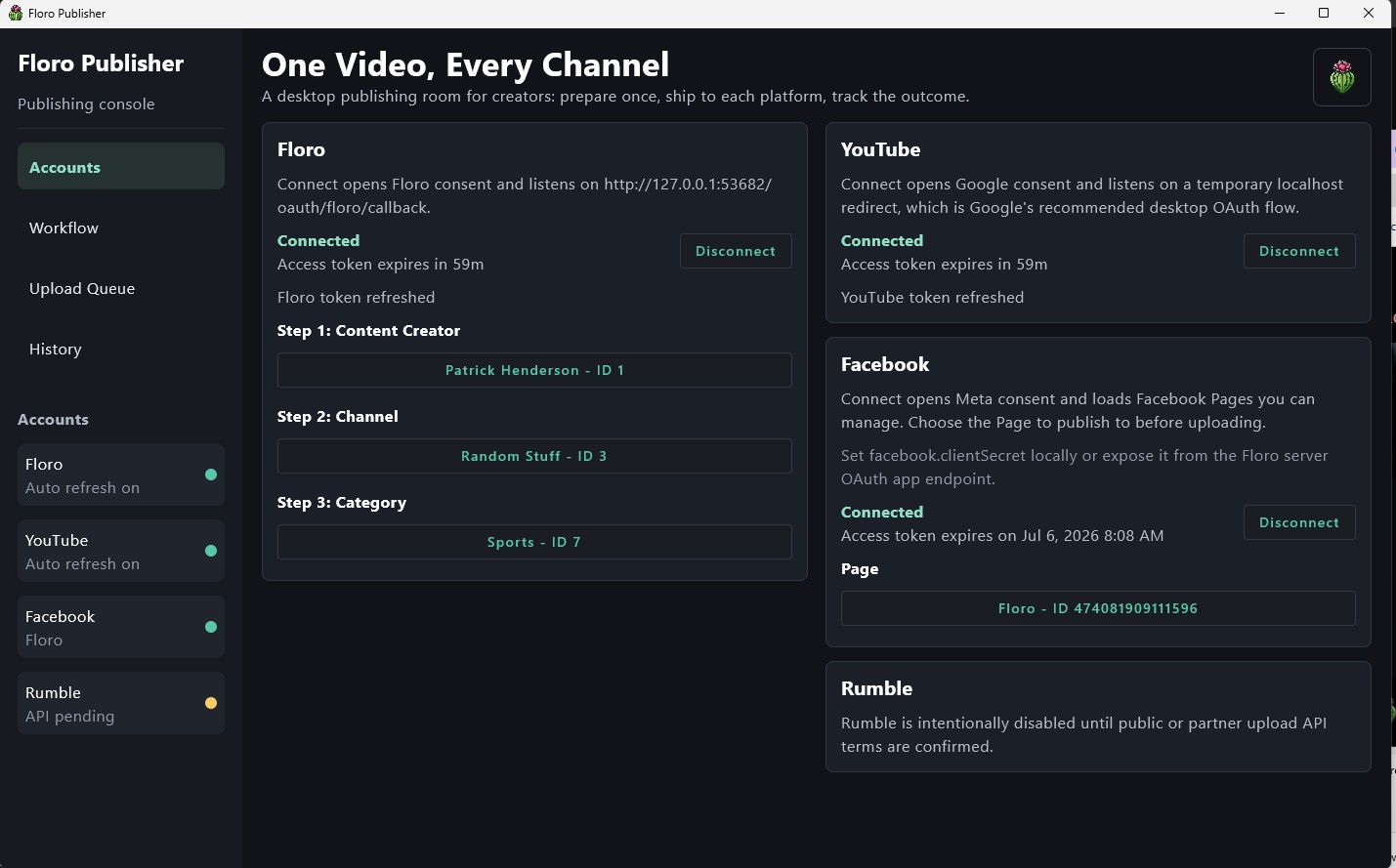
Floro Publisher account connection screen for Floro, YouTube, Facebook, and Rumble

Connect publishing accounts

The Accounts screen keeps each platform connection in one place. Creators can confirm Floro, YouTube, and Facebook authentication, see token refresh status, choose the Floro creator workflow, and leave pending integrations like Rumble clearly marked until access is ready.
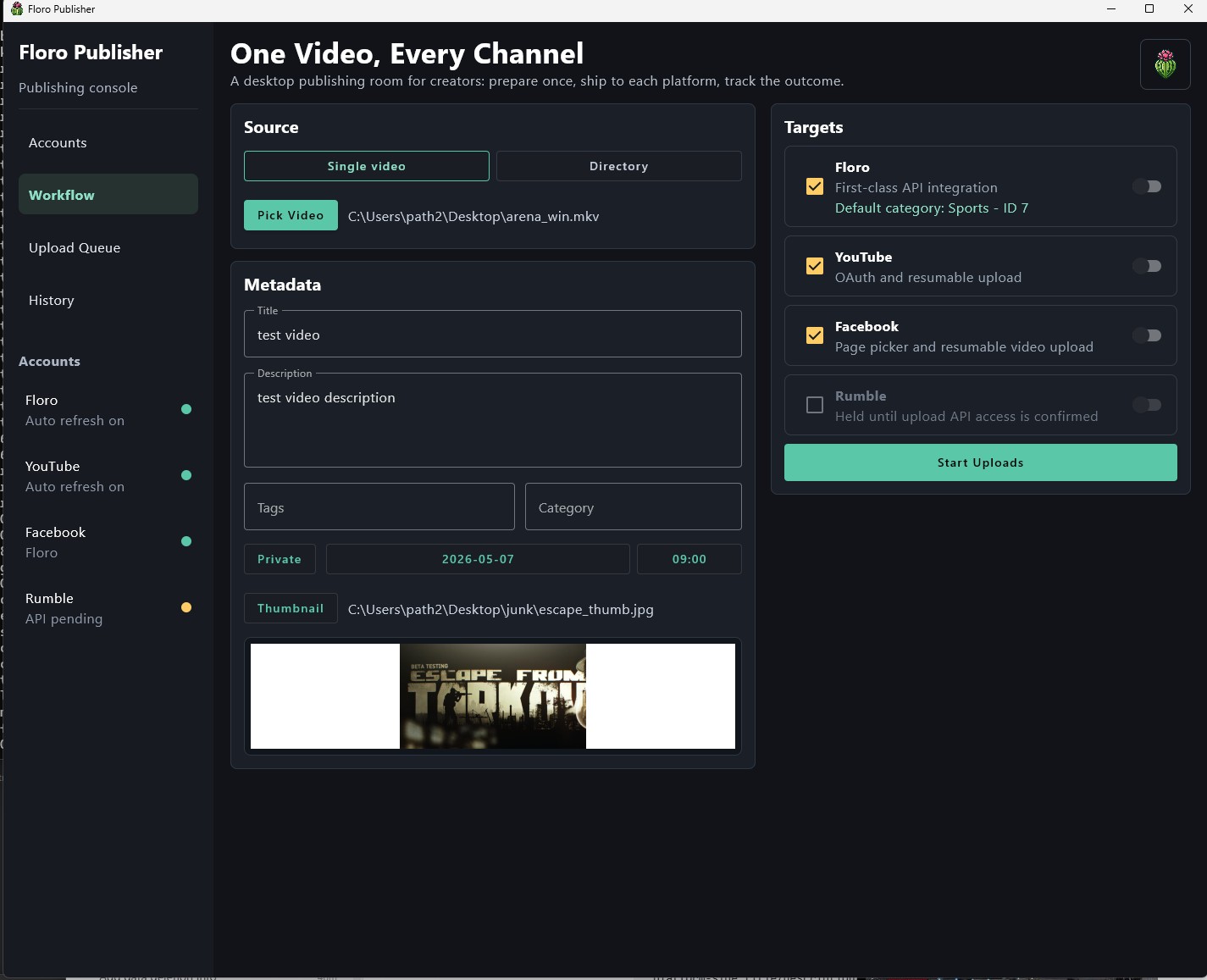
Floro Publisher workflow screen with source video picker, metadata fields, target toggles, and thumbnail preview

Prepare one upload package

The Workflow screen gathers the video file, title, description, tags, category, privacy setting, schedule, thumbnail, and destination toggles before publishing begins. It is meant to make prepare once, publish everywhere feel like a single creator task instead of a repeated chore.

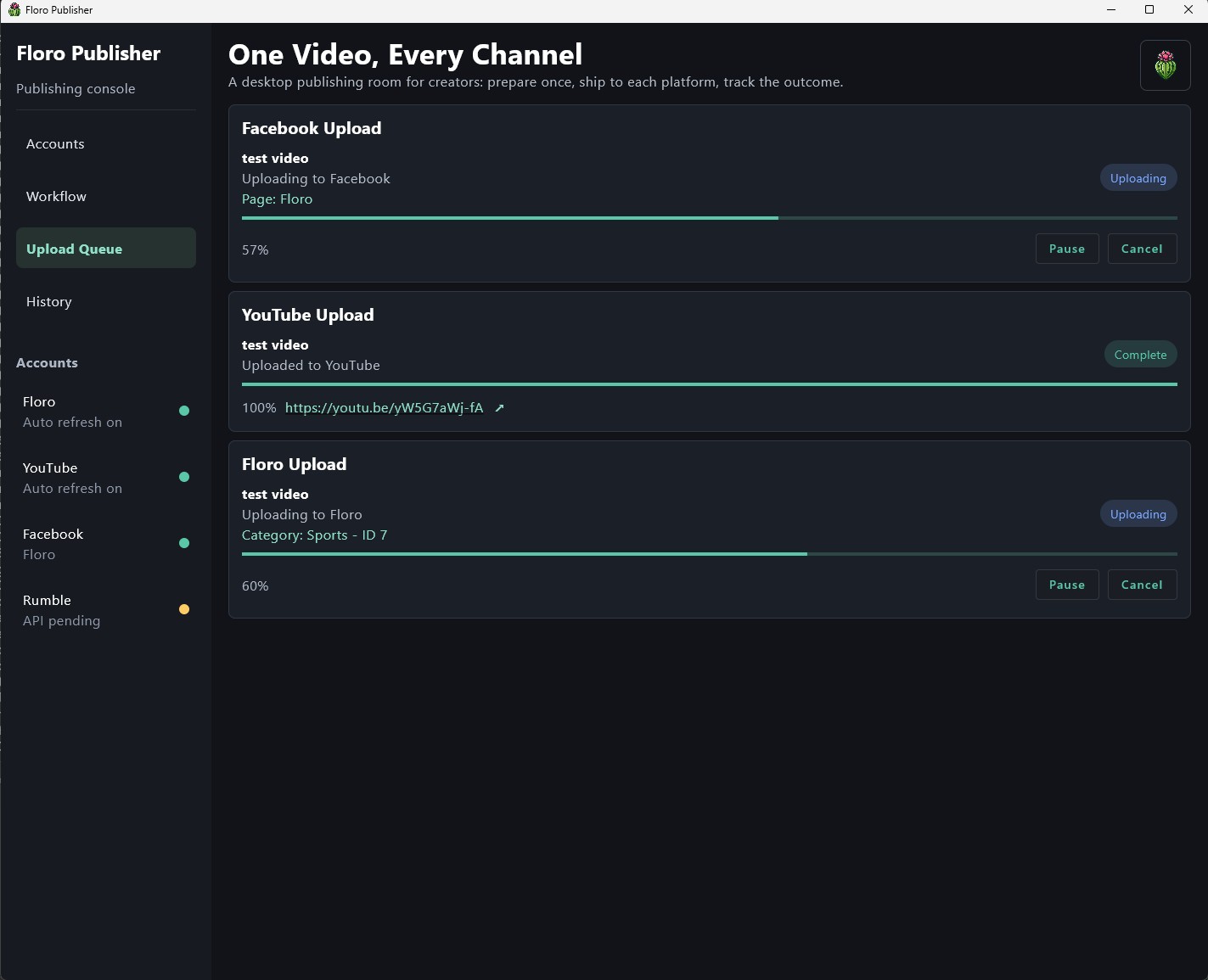
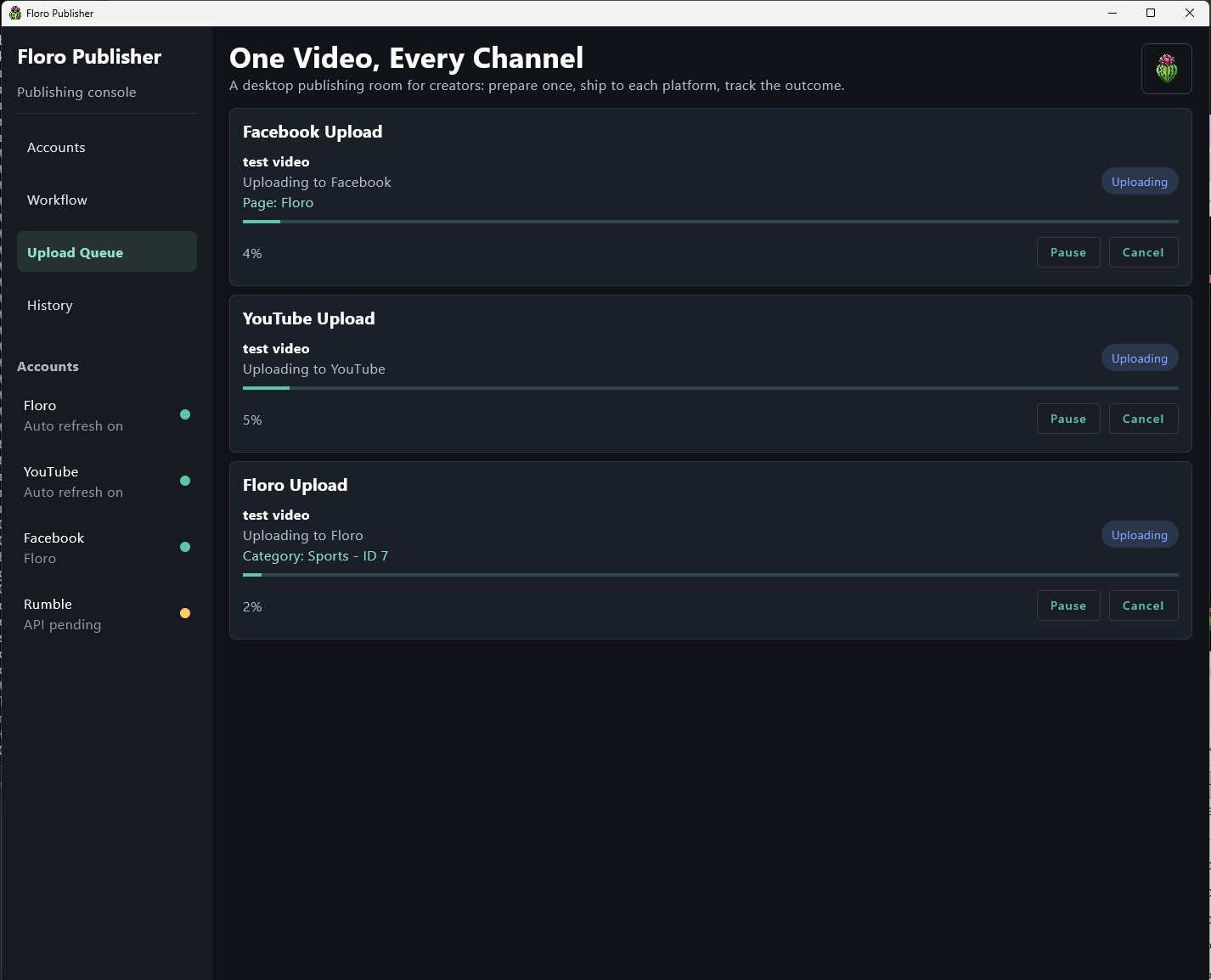
Floro Publisher upload queue showing Facebook, YouTube, and Floro upload progress just after starting

Watch every destination start

Once the creator starts uploads, the queue separates each platform into its own progress card. Facebook, YouTube, and Floro can move independently, with pause and cancel controls available while the app keeps the larger publishing batch easy to scan.

Floro Publisher upload queue with YouTube complete and Floro and Facebook uploads still progressing

Track mixed upload states

Different platforms finish at different speeds, so the queue shows completed links alongside in-progress uploads. This screenshot is also used as the social share image because it captures the core promise of the beta: one desktop room for every publishing target.

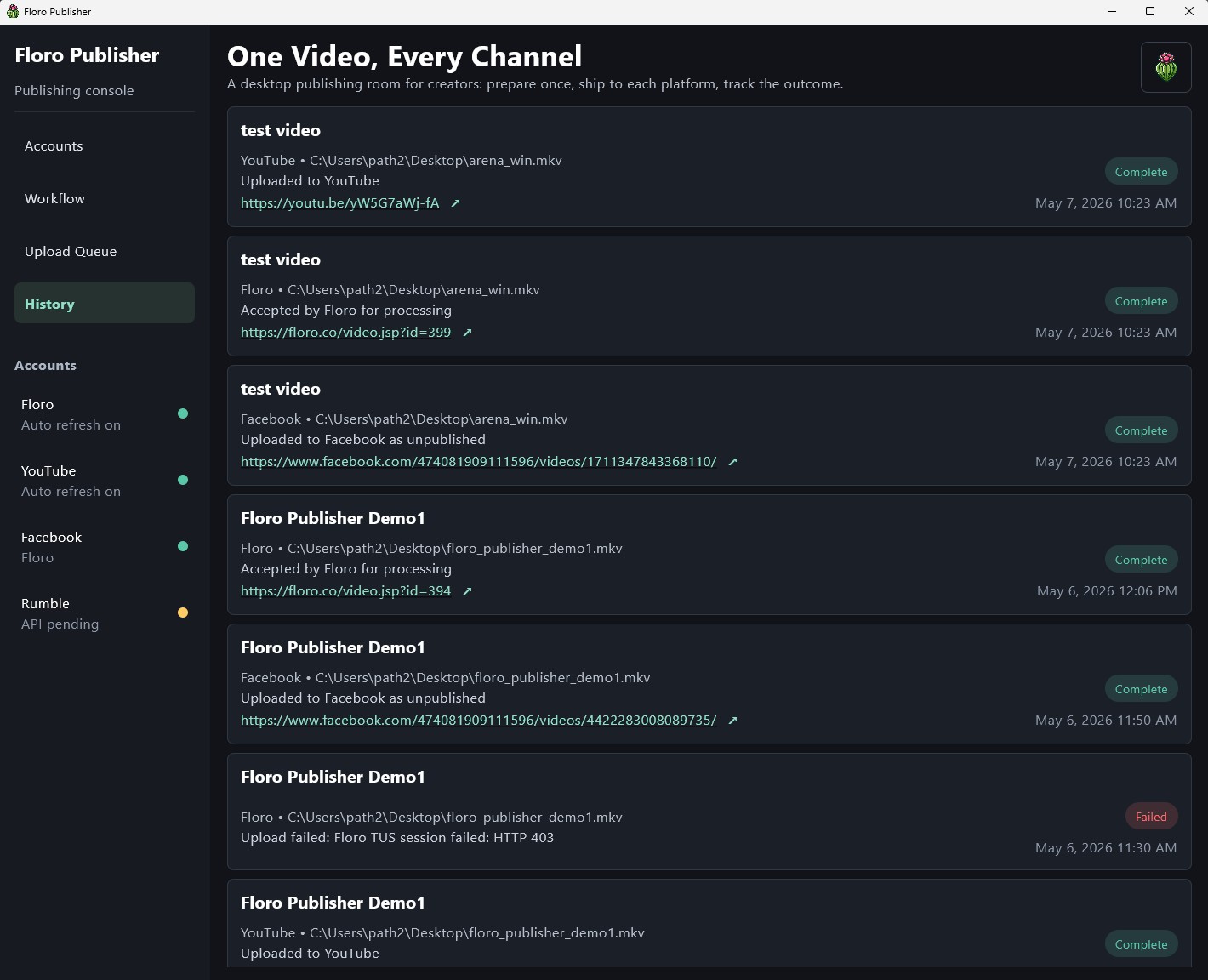
Floro Publisher history screen listing completed and failed publishing attempts with destination links

Keep a publishing history

The History screen preserves completed uploads, destination links, timestamps, and failed attempts. That gives creators a lightweight audit trail after the upload window closes, including Floro video pages, YouTube links, and Facebook video destinations.